Scientific Research Assistant
An AI-enabled research web application that supports the scientific workflow as a sequence rather than a single prompt — research question, study design, methodology, evidence, statistical plan, document, then an independent review and quality gate.
The problem
Academic and clinical research work is a chain of dependent decisions: a vague topic becomes a research question, the question implies a study design, the design drives variables and analysis, and the analysis has to match the method. Generative writing tools tend to jump straight to prose, which produces polished documents with indefensible methodology.
Researchers also lose traceability. Citations cannot be verified, assumptions made during drafting are indistinguishable from established facts, and a methodology changed in one chapter is not reflected in another.
Product objective
Support the research lifecycle as a structured workflow with an explicit project state, so that methodology, evidence and writing stay consistent and every consequential decision is visible and approved rather than silently changed.
- Move through understand, design, retrieve evidence, validate, draft, audit and revise — not straight from idea to finished document.
- Keep citations traceable, and say so plainly when a reference cannot be verified rather than inventing one.
- Surface contradictions between objectives, methods, sample size and analysis instead of quietly resolving them.
- Keep the researcher as the decision-maker: the assistant proposes, explains and flags.
Users & use cases
The application is designed for people carrying a structured research obligation — undergraduate and master's candidates, PhD candidates and fellows, clinical and professional researchers, and grant or funder proposal teams.
- Developing a researchable question from a broad topic using an appropriate question framework.
- Selecting and justifying a study design, population, sampling approach and sample size.
- Building evidence-based literature reviews with verified references and an evidence matrix.
- Writing proposals, protocols, manuscripts and theses against a maintained project state.
- Running statistical analysis on real datasets and validating the analysis plan before submission.
- Reviewing a draft against reporting guidelines and methodological quality before submitting.
Product architecture
The application is built on the Next.js App Router with Tailwind CSS and a versioned route-handler API under /api/v1, deployed on Vercel. The API is split by domain: auth, admin, profile, projects, literature, research and statistics.
The workspace is organised as Research Chat for guided work, Research State for the structured project record, and Research Toolkit for the individual instruments. Each research project carries modules for academic information, methodology, literature, statistical analysis plan, review, discussion, defense, viva, submission, supervisor input, peer review and reporting guidelines.
- Literature & Evidence searches PubMed, Europe PMC, Semantic Scholar, Crossref and OpenAlex, with DOI and ORCID lookup, researcher IDs, an evidence matrix and reference verification.
- Statistics runs descriptive statistics and named tests — t-tests, one-way ANOVA, chi-square, Wilcoxon signed-rank, Pearson and Spearman correlation, linear and logistic regression, survival analysis and log-rank — with effect size, confidence level, margin of error, power validation, sample-size calculation and analysis-plan validation, exporting to JSON and CSV.
- Image analysis segments and counts objects in uploaded histology slides, images and plates.
- Quality & Review runs a final quality gate, critical and peer review, PRISMA 39/41/42 record keeping, risk-of-bias guidance, numerical integrity checks, causality over-reach detection and language and style review.
- Integrity & Alignment holds the approval queue for consequential methodological decisions, outstanding issues, version history and locked results.
- Accounts include email and password with signup codes and emailed reset codes, Google sign-in, an admin console for invite codes and user roles, and a researcher profile carrying degree level, discipline, institution, research areas and researcher IDs.
Key features
- Structured research project stateEach project maintains an explicit record — question, design, population, variables, outcomes, sampling, analysis plan, evidence, decisions, assumptions, limitations and version history — instead of relying on chat history.
- Researcher approval on consequential decisionsStudy design, population, primary outcome, comparator, eligibility, sampling, statistical model and hypotheses are proposed, explained and then approved or modified, so they are not silently changed later in drafting.
- Evidence retrieval with verificationSearches PubMed, Europe PMC, Semantic Scholar, Crossref and OpenAlex, resolves DOIs and ORCID iDs, and verifies references rather than assuming a plausible title and author pairing is real.
- Statistical analysis and plan validationRuns named tests over pasted or uploaded CSV data with effect sizes, confidence levels and power checks, then validates the analysis plan against the study design and the assumptions it depends on.
- Image analysis for histologySegmentation and object counting on uploaded slides and plates, with a minimum object size and a reporting cap, for image-based research data.
- Independent quality gateA final review checks methodological fit, bias, statistical appropriateness, citation accuracy and internal consistency, and reports the draft as requiring revisions rather than submission-ready when checks fail.
Interface
Development approach
The core decision was to model the research lifecycle as application state rather than as a conversation, so quality depends on structure instead of how a prompt was phrased.
- Domain-first API design. Route handlers are grouped by domain — auth, admin, profile, projects, literature, research, statistics — so each part of the workflow has an explicit owner.
- Reliability as a product feature. The tool returns 'not enough data' or an explicit unverified marker instead of a plausible value, and result-locking and version history keep an earlier state recoverable.
- Academic identity shapes the output. Degree level, discipline and institution are captured up front because the same question needs different rigour and framing at undergraduate, master's, doctoral and clinical level.
- Progressive capability. Instruments are added per area so the workspace stays usable while the toolkit grows.
- Account-gated by design. The public entry point is the sign-in gate, so research data is not exposed to anonymous visitors.
Challenges & decisions
The hardest problem was making integrity enforceable in software rather than advisory in a prompt.
- Anti-fabrication is enforced at the product level: unverifiable citations are marked unverified, and analysis cannot be presented without a dataset.
- Consistency checks compare objectives, methods, variables, outcomes, sample-size assumptions and conclusions, and flag contradictions instead of silently choosing one.
- Reporting guidelines are surfaced as a checklist with present, missing, not-applicable and requires-confirmation states, and compliance is never claimed before the check is run.
- Results can be locked so an approved analysis is not overwritten by a later run.
The research workflow
- 01 — Research identityDegree level, discipline, institution
- 02 — Research questionFramework, scope, feasibility
- 03 — Study designDesign and rationale agreed
- 04 — MethodologyPopulation, sampling, variables
- 05 — Sample size & powerAssumptions made explicit
- 06 — Literature & evidenceVerified sources, evidence matrix
- 07 — Analysis planTests matched to design and data
- 08 — DocumentProposal, protocol or manuscript
- 09 — Critical reviewIndependent quality gate
- 10 — SubmissionReporting guideline checklist
Current status
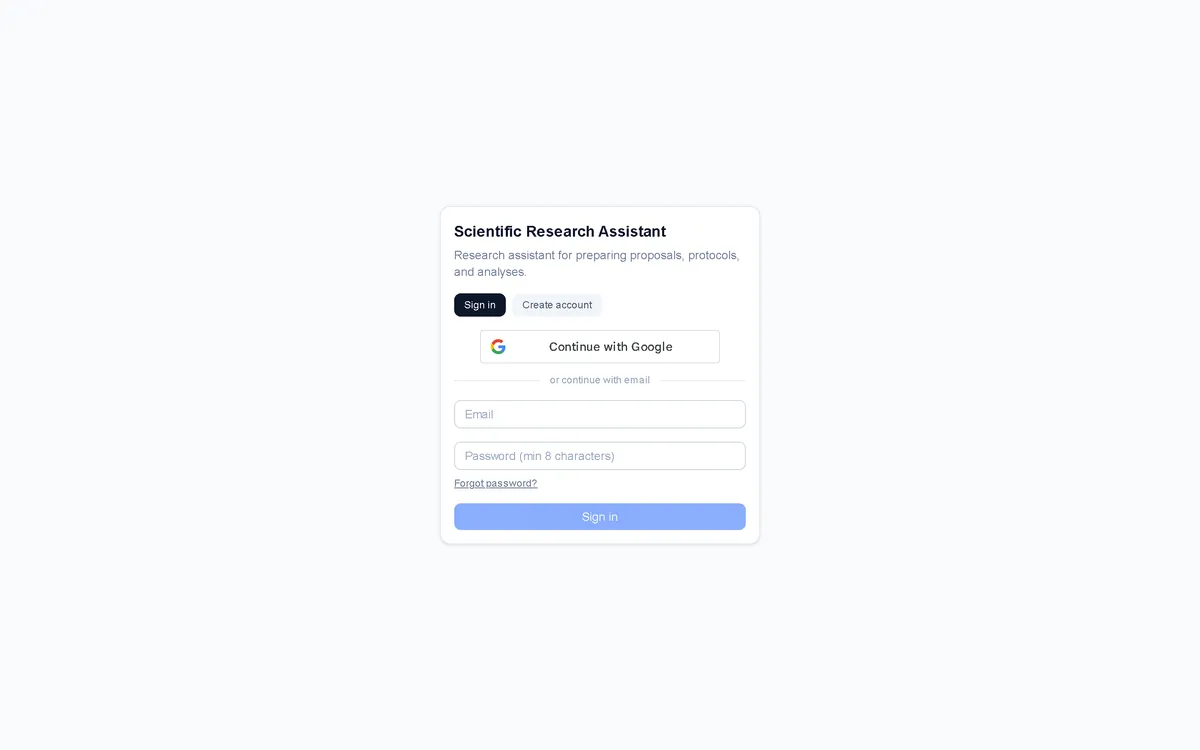
The application is deployed and its public entry point is an account gate offering sign in, account creation, password reset and Google sign-in. The research workspace behind it is in active development.
The screenshots and modules documented here reflect the shipped application. No user counts, adoption figures or research outcomes are claimed.
Delivery status
- CompleteNext.js application & account gate
- CompleteEmail/password auth, signup codes & password reset
- CompleteGoogle sign-in
- CompleteAdmin console — invite codes, users & roles
- CompleteResearcher academic profile & researcher IDs
- CompleteResearch project state & version history
- CompleteResearch Chat workspace
- CompleteLiterature & evidence retrieval & verification
- CompleteStatistical analysis, power & analysis-plan validation
- CompleteImage analysis (segmentation & counting)
- CompleteDocument generation for proposals, protocols & manuscripts
- CompleteCritical review, quality gate & reporting guidelines
- CompleteDefense, viva & submission workflow modules